
Team documentation with a whiteboard on every page
Write specs, runbooks and meeting notes together, then sketch the system right beside the words. Your team’s knowledge stays in one place, with clear control over who can open it.
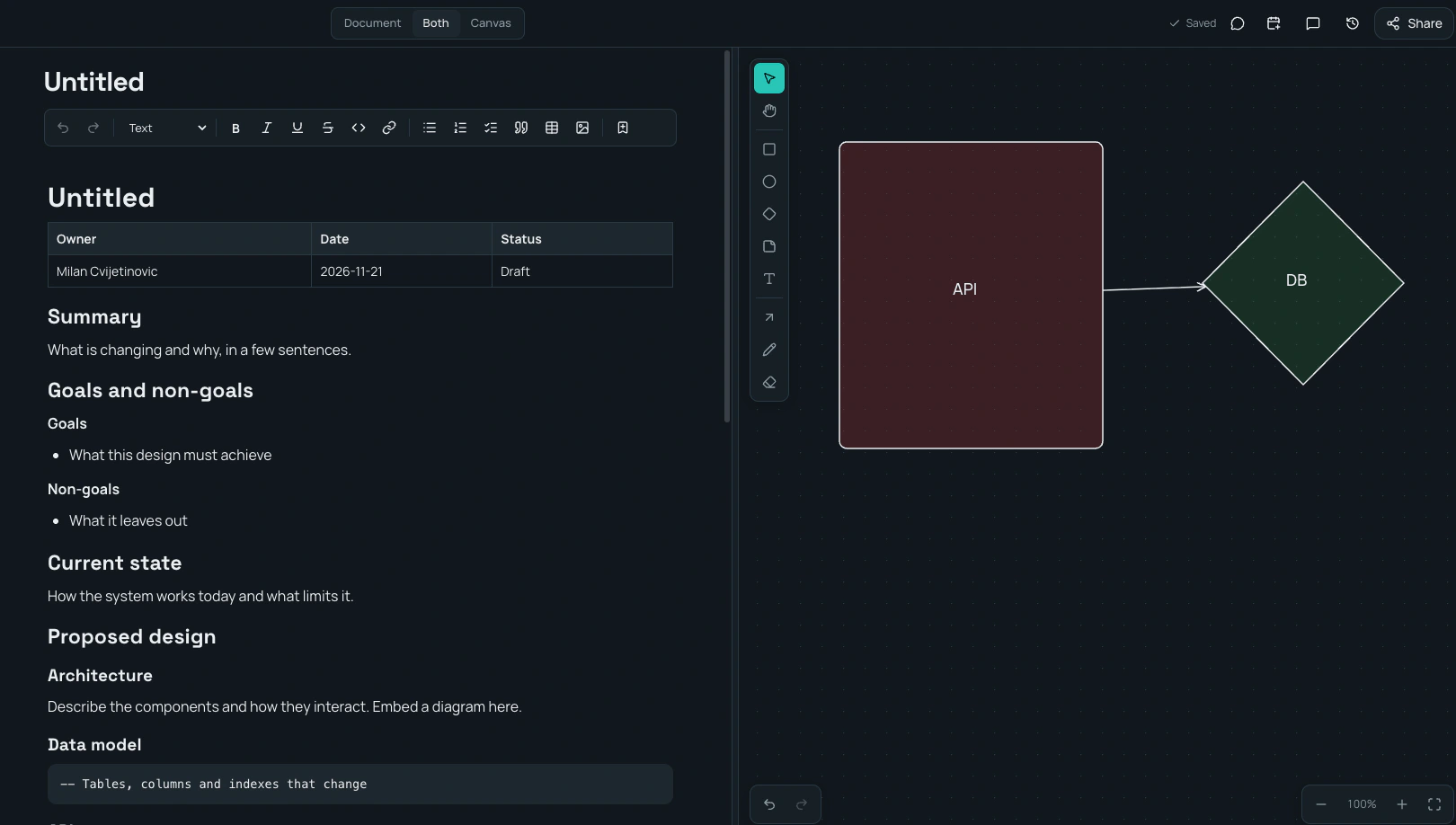
A collaborative wiki your team can actually keep current
Organize work in spaces, folders and pages. Write together in a fast editor with headings, task lists, tables, code blocks, callouts, images and files. Type / to add a block, or use familiar Markdown shortcuts.
- Live co-editing: see who is on the page, where they are working and what they change.
- Autosave: every change saves as you go, and offline edits wait safely on your device.
- Comments on the exact words: reply, mention a teammate and resolve the thread when it is settled.
- Version history: name a version, preview an older one and restore it without losing the current page.
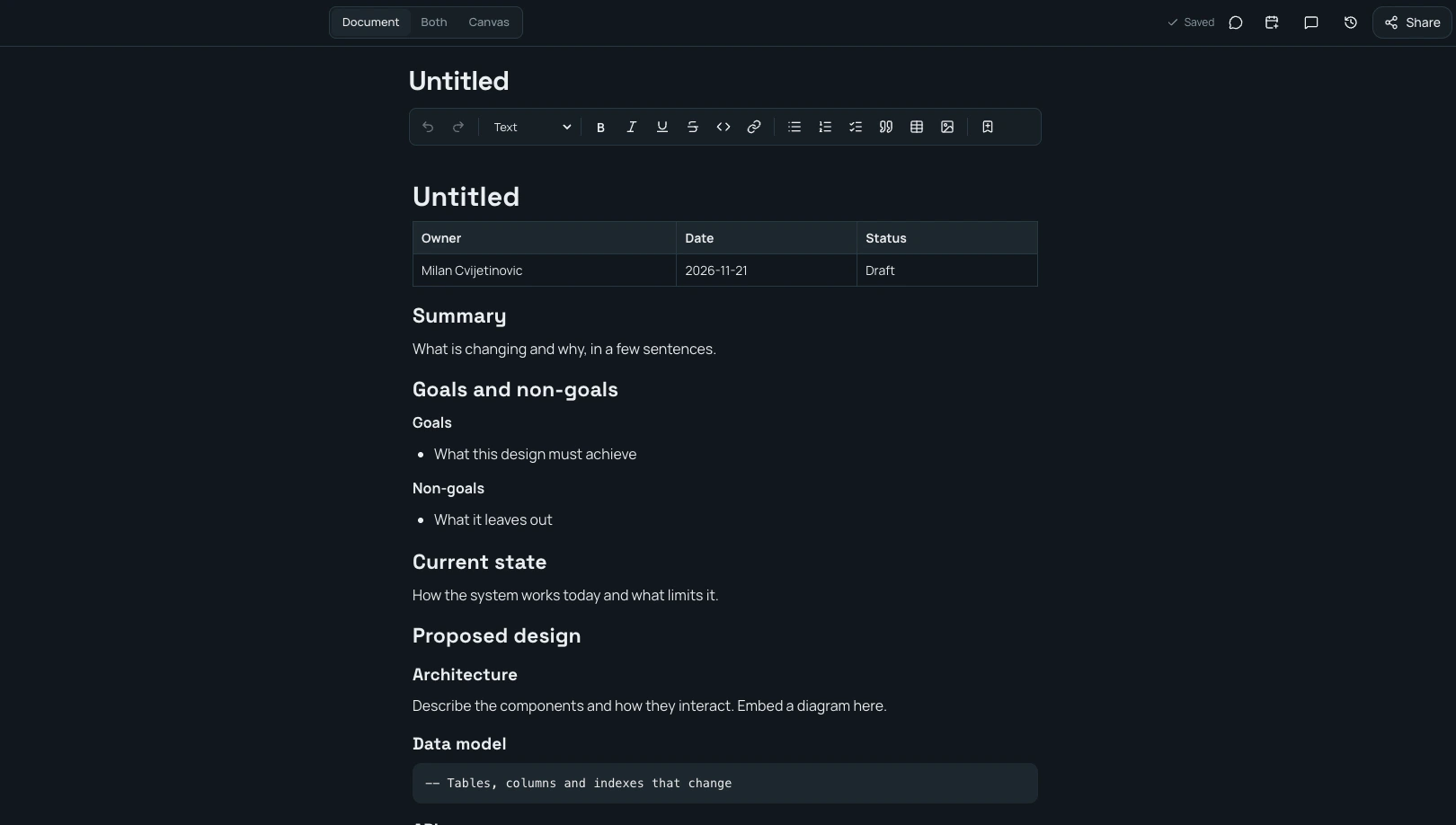
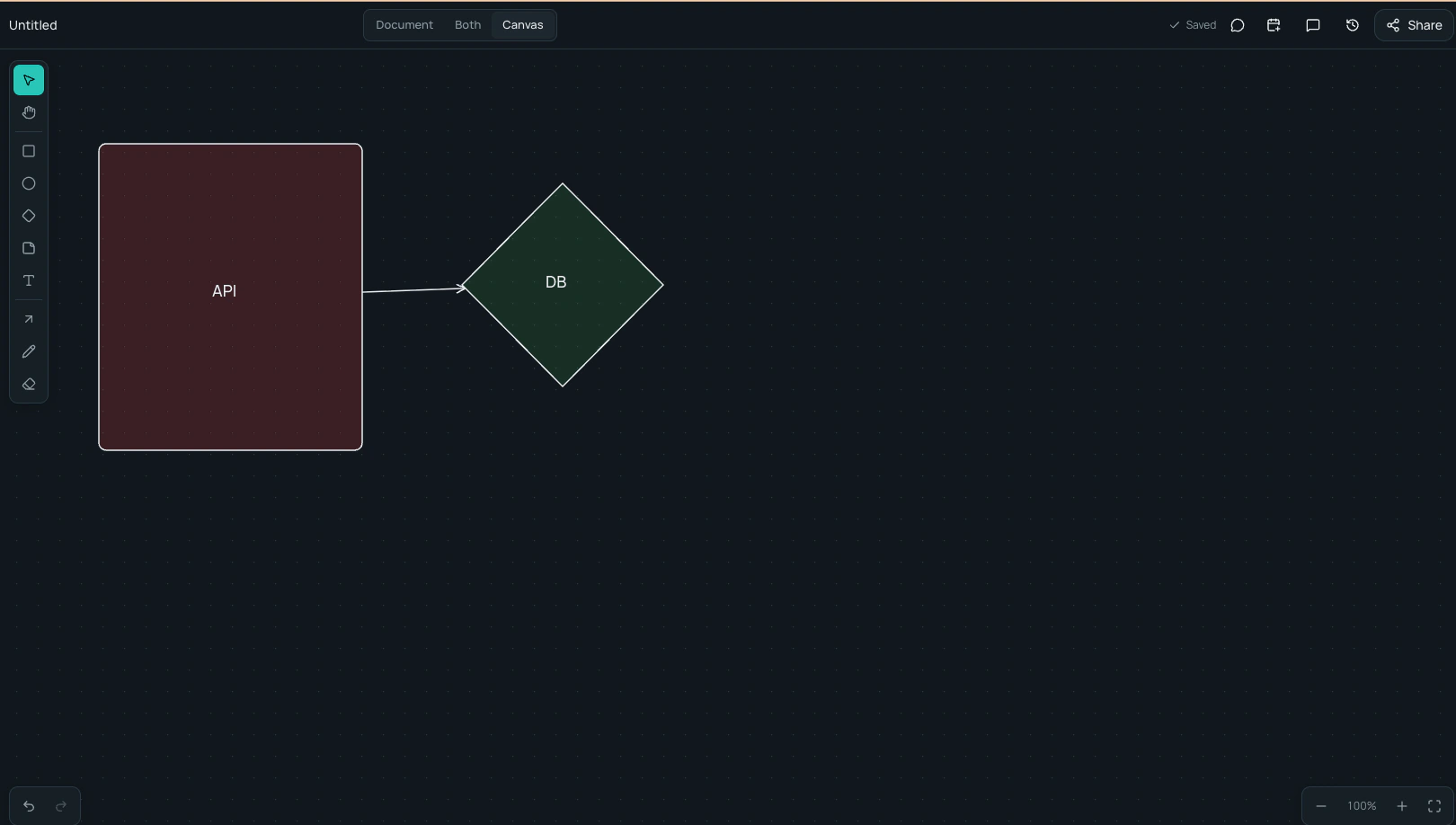
Document, canvas, or both
Every page has a document and a canvas. Switch between them, or keep both open side by side while you work. Draw with shapes, sticky notes, text, a pen and arrows that stay attached when you move things. Zoom and pan freely, and collaborate on the canvas live.
Because the diagram lives on the same page as the spec, they share one link and one set of permissions.
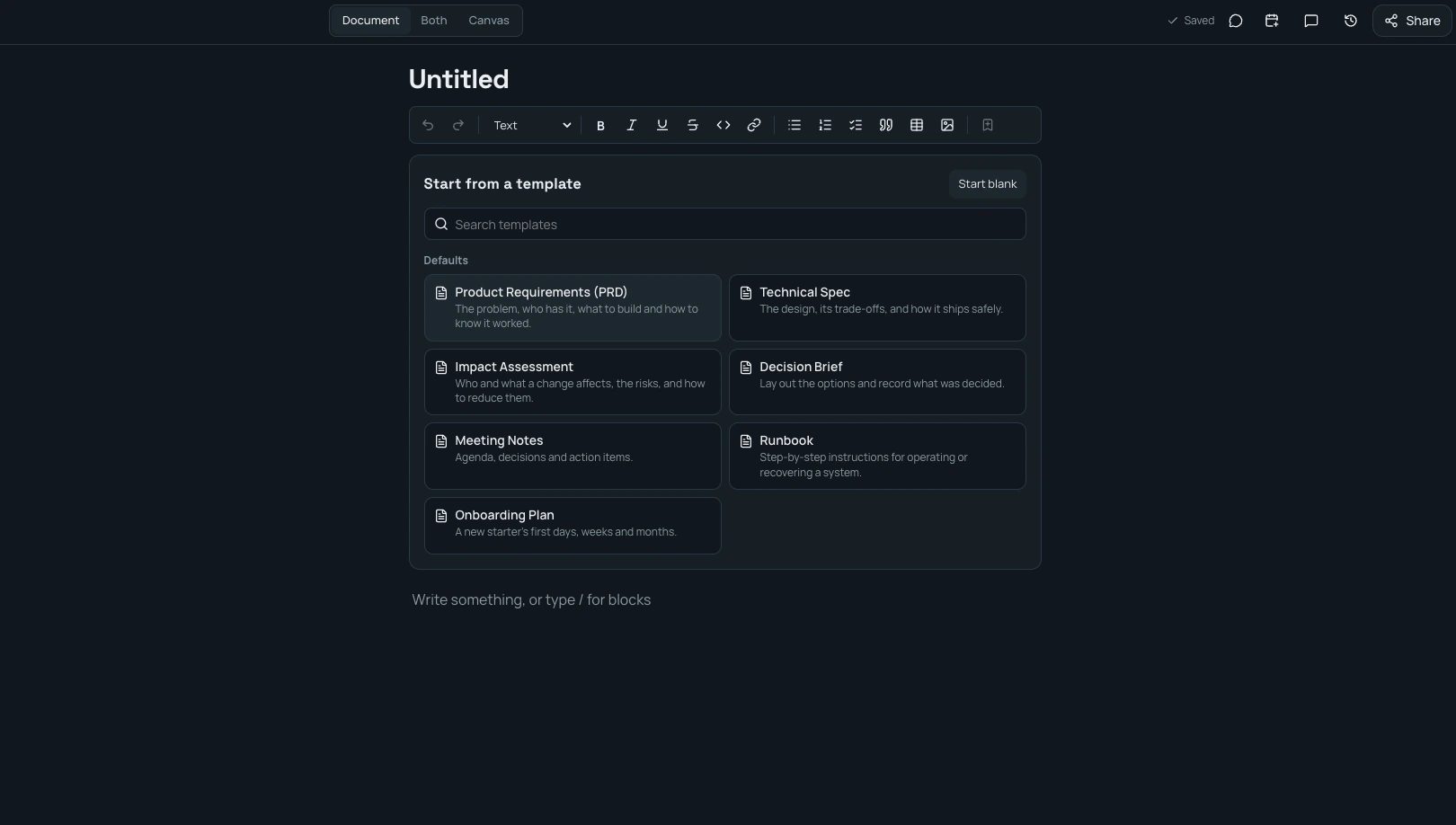
Start from a template
A blank page offers seven ready-made outlines: Product Requirements, Technical Spec, Impact Assessment, Decision Brief, Meeting Notes, Runbook and Onboarding Plan. Save any page as your own template, or publish one for the whole workspace.
Permissions you can trust
Docs is for signed-in members only, with no public links. Share a page, folder or space with a person, a group or the whole workspace, and choose whether they can view, comment, edit or manage it.
Private means private: workspace admins can manage access and recover abandoned pages, but they cannot read private pages by default. Search, backlinks and previews only show what each person is allowed to open.
Find the answer later
Search page titles and content across your spaces. Backlinks show which pages refer to the one you are reading, recent pages bring you back to your work, and deleted pages stay in the trash for 30 days.
Connected to the rest of your work
- Nooby Chat: open Chat beside a page, discuss it with the people on it and start meeting notes from the conversation.
- Nooby Board: embed a live card in a page and see linked pages on the card (Board with chat).
- Nooby HR: create Policies and Onboarding spaces for the whole company.
- AI assistants: through Nooby Connect, an assistant can search, read and update pages using your own permissions.
Frequently asked questions
What is Nooby Docs?
Nooby Docs is a shared workspace for team knowledge. Each page has a document and a canvas, so a team can write a spec and draw its diagram in one place.
Can several people edit a page at once?
Yes. People on a page see each other’s cursors and changes live. Edits save automatically, and changes made during a dropped connection stay on the device until they can be sent.
Who can see a page?
Only signed-in members you give access to. You can share with a person, a group or the whole workspace as a viewer, commenter, editor or full manager. Docs has no public links, and workspace admins cannot open private pages by default.
Is Nooby Docs a Confluence alternative?
It covers the core of a team wiki: spaces, a page tree, templates, comments, version history and search. It also adds a canvas on every page. Automatic import from Confluence is not available yet.
Does it work with project boards and chat?
Yes. You can embed a Nooby Board card in a page, see linked pages on the card, and open Nooby Chat beside the page to discuss it or start meeting notes.
Is Nooby Docs available now?
Nooby is in alpha and under active development. Leave your email to request early access.
Try Nooby Docs while it's early
Nooby is in alpha. Leave your email and we'll set up your workspace.
Get early accessMore: A board with team chat built in · Moving from Jira · Nooby home