
Move your Jira project to Nooby
Export a CSV from Jira, drop it into Nooby, and your project comes over with its epics, sub-tasks, labels, comments and original issue keys.
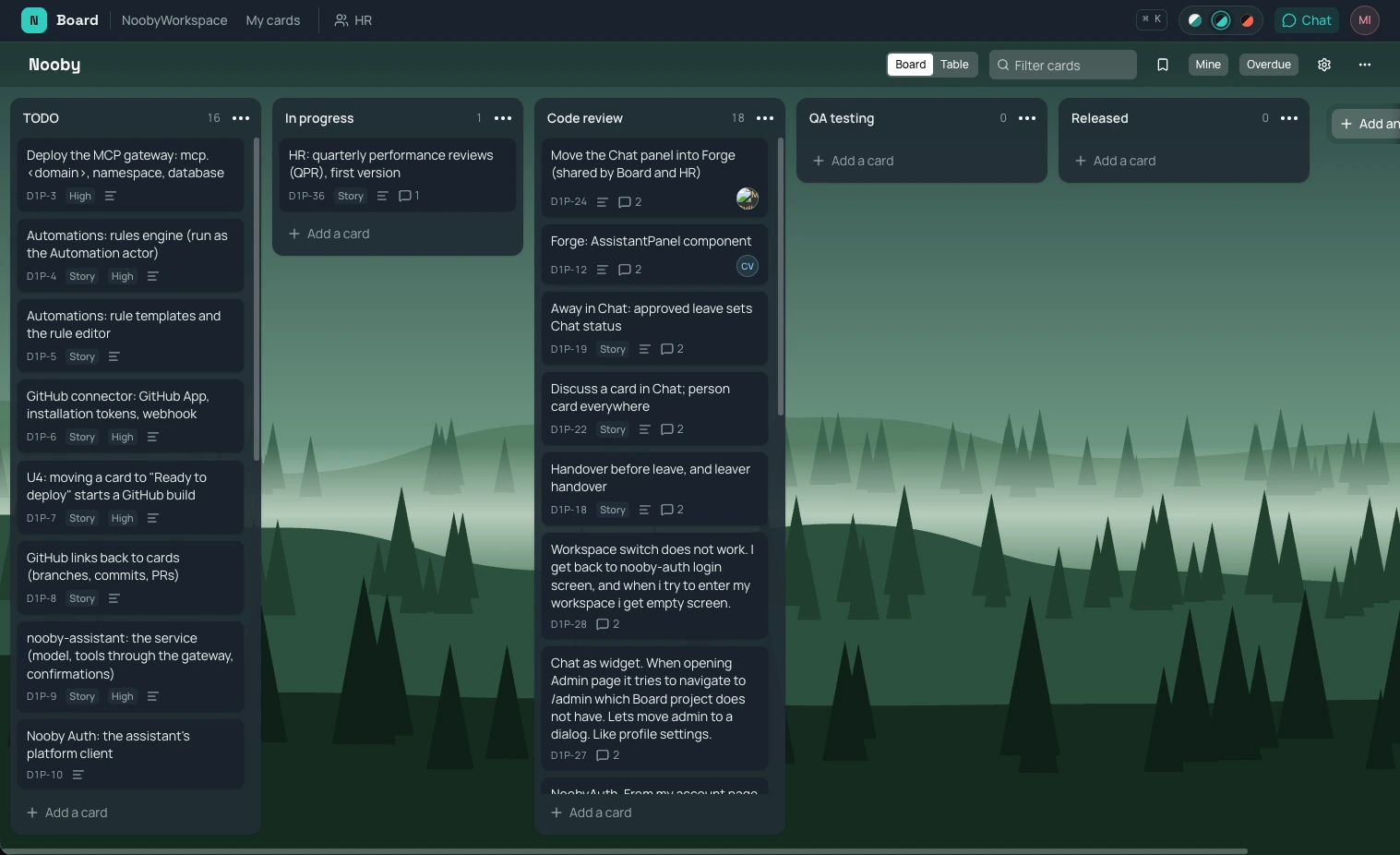
What comes across
Nooby reads Jira's own CSV export and makes a new board from it. Nothing in Jira changes.
- Lists from your statuses, in Jira's order, with your Done status as the board's done list.
- Epics, stories, tasks, bugs and sub-tasks, linked to their parents, with progress on every epic.
- Priorities and labels; Highest becomes Urgent.
- People: each assignee is matched to a teammate in Nooby, or left unassigned. Nobody gets a notification.
- Comments with their original author and date, from Jira's "all fields" export.
- Dates: created, due and resolved.
- The original issue key on every card, with a link back to Jira. Search Nooby for
PROJ-123and the card comes up. - Descriptions in Markdown, including older ones written in Jira's wiki markup; attachments come across as links.
How it works
- In Jira, open Filters, search for the project's work items and choose Export → Export CSV (all fields).
- In Nooby, choose Import a board → Jira and drop the file.
- Check what was found: the board's name, its done list, and who is who.
- Import. The board is made in one go, all or nothing, and opens.
Good to know
- Jira exports up to 1,000 work items per file; one import takes up to 5,000 cards.
- It's a one-time copy, not a sync: keep working in Jira until you're ready to switch.
- Custom fields such as story points and sprints don't come across yet.
- Files stay in Jira; each card lists them as links.
Why move
Nooby is a project board, team chat and HR in one workspace. Talk about a card next to the card, approve time off in a conversation, and see who's away before you set a due date. For a small team, that's one tool instead of four.
Questions
Does importing change anything in Jira?
No. Nooby only reads the CSV file you export. Your Jira project stays exactly as it was.
Do my Jira issue keys still work?
Yes. Every card keeps its original key, such as PROJ-123, and a link back to the Jira issue, and Nooby's search finds a card by it.
How many issues can I import?
Up to 5,000 cards in one import. Jira exports up to 1,000 work items per file, so a big project may come over in a few files.
Is my team notified when cards are assigned?
No. An import sends no notifications or due-date emails.
Try Nooby while it's early
Nooby is in alpha. Leave your email and we'll set you up, and bring your project over with you.
Get early accessMore: Moving from Jira · A board with team chat built in · Nooby home